Scan plugins, themes, uploads, WordPress core areas, and root files for suspicious patterns and risky changes.
ESS Security Cleaner Pro
Production-ready WordPress security scanning, quarantine, hardening, reporting, and monitoring toolkit.
Bring scanning, hardening, and file review into one trusted workflow
Quarantine-first protection for serious WordPress maintenance
Review suspicious files safely, monitor high-risk changes, and harden weak areas before small issues grow into bigger website problems.
Price
$59.99 one-time
Scans
Manual + scheduled
Workflow
Quarantine-first
100% No-Risk, 14 Days Money-Back Guarantee
We stand behind ESS Security Cleaner Pro with direct product support and a straightforward 14 days refund promise for every new purchase.
If the plugin is not the right fit after reviewing it on your website, contact us within 14 days and we will help you through a full refund request without unnecessary back-and-forth.

Detailed Overview
A cleaner way to review malware, suspicious files, and WordPress hardening gaps
ESS Security Cleaner Pro is built for WordPress teams that need more than a basic warning message when something suspicious appears on a website. It helps you scan important directories, review risky patterns, inspect modified files, and quarantine suspicious items before taking permanent action.
Instead of encouraging blind deletion, the plugin focuses on safer operations. That means clearer scan history, restore-ready quarantine controls, hardening suggestions, and reporting that makes security work easier to explain to clients, stakeholders, or internal teams.
Whether you are maintaining one website or managing recurring support across client installs, the goal is the same: reduce guesswork, improve response time, and make WordPress security cleanup more controlled and professional.
Core Benefits
What ESS Security Cleaner Pro adds to your WordPress security workflow
Move suspicious files into a safer review path instead of jumping straight into deletion on a live site.
Review missing, modified, or unknown WordPress core files so corruption and tampering are easier to spot.
Apply security improvements such as uploads protection, file editor lockdown, XML-RPC control, and sensitive file protection.
Keep scan history, export reports, and maintain a clearer record of what was found and what action was taken.
Run daily or weekly scans and send alerts when critical issues or suspicious changes appear.
Product Screens
Professional visuals for scanning, quarantine, and hardening workflows
Scanner Workflow
Malware scanner and quarantine review interface
Review suspicious files, scan progress, quarantine actions, and scan history in a cleaner operational layout.
Proceed to Checkout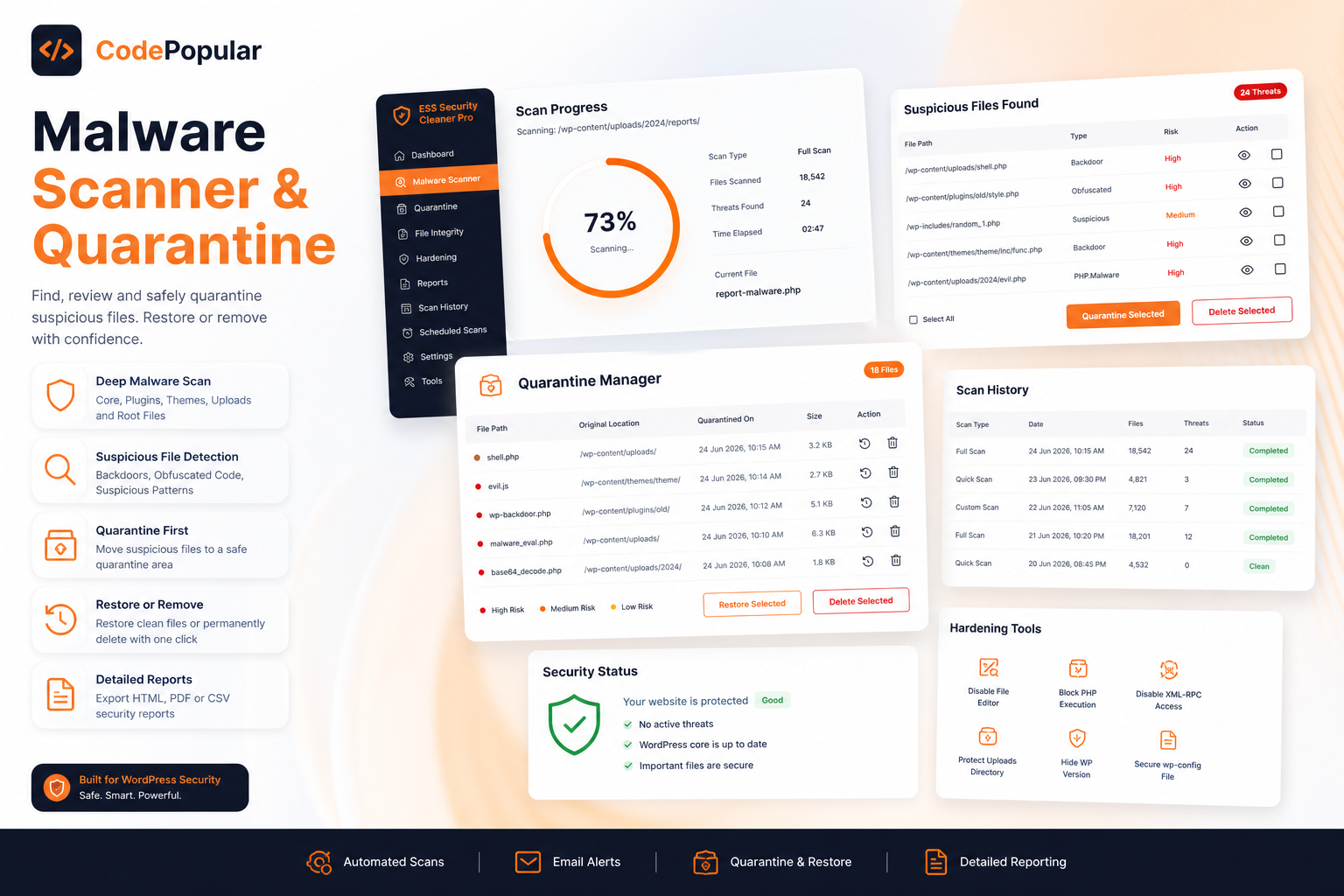
Hardening Workflow
Security hardening, reports, and monitoring dashboard
Show clients or team members a more structured view of hardening status, reports, alerts, and ongoing monitoring.
Proceed to Checkout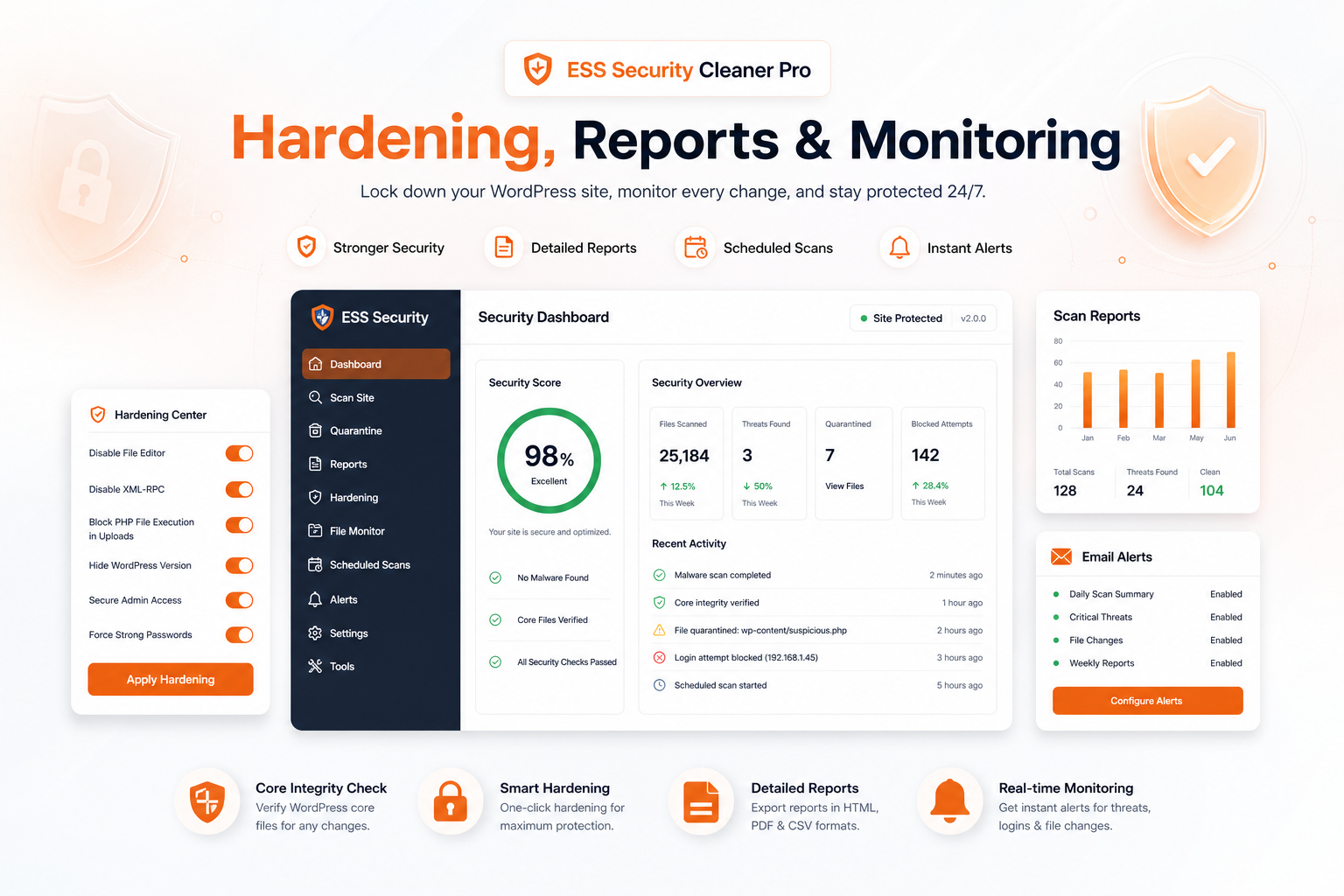
Why Teams Choose It
Built for safer WordPress cleanup and stronger maintenance discipline
Helps avoid reckless file deletion by keeping quarantine and review at the center of the workflow.
Surfaces suspicious PHP files, modified core files, and risky patterns in the places WordPress sites are commonly abused.
Makes security work easier to report through visible logs, summaries, and exportable reports.
Supports ongoing maintenance with scheduled scans, alerts, and hardening reminders.
Fits freelancers, agencies, and WordPress operations teams that need a repeatable security process.
Backed by direct support and a 14 days money-back promise.
Review risky files before removal so you can avoid destructive cleanup mistakes on live websites.
Spot malware patterns, unknown PHP files, and changed core/plugin files from one operational dashboard.
Useful for freelancers, support teams, and maintenance retainers that need visible security reporting and repeatable review steps.
Who is ESS Security Cleaner Pro for?
It is designed for WordPress site owners, agencies, and technical teams that want a safer malware review and hardening workflow.
Does it delete files automatically?
No. The product is built around a quarantine-first workflow so suspicious files can be reviewed and restored before permanent deletion.
What kinds of issues can it help detect?
It can help surface suspicious PHP files, malware patterns, risky permissions, modified core files, and hardening weaknesses.